Sunday, June 7, 2026

Correct offset modulation for non-modulator tracks

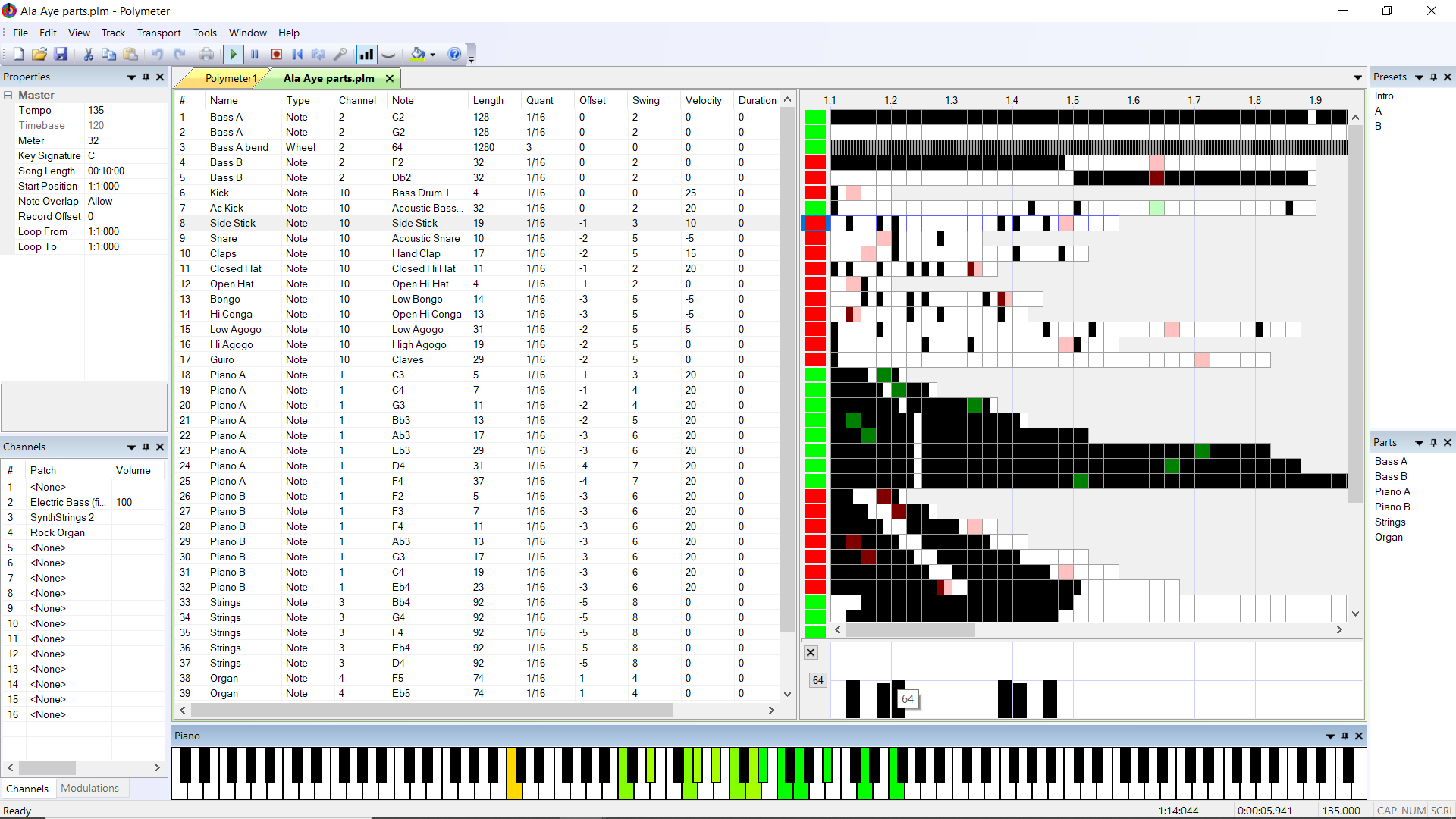
In previous versions offset modulation was signed for modulators and unsigned for non-modulators, because the latter case was implemented via delaying, which doesn't support negative values. This was confusing to say the least.

Offset modulation is now (as of version 1.0.20) a true offset in all cases, regardless of the target track's type. Delaying now has its own independent modulation type. Offset modulation is now consistently signed, and delay modulation is always unsigned.

In addition, offset modulation now supports integer scaling via the modulator track's duration value. This works around the step value's very limited range. Large offsets suitable for resynchronizing song sections can now be specified, and in convenient units such as beats or measures.

Delay is still superior to offset for implementing groove, because with delay, all events are played, whereas offsetting can cause events to be skipped. Delay modulation also has more precise timing than offset modulation.

For non-modulator tracks, offset modulation is only accurate to the nearest callback time, even though the offset is specified in ticks. This isn't ideal, but it's good enough for most applications, as a callback is only a few ticks at common timebase and tempo settings.

AddTrackEvents now sums the track's offset modulations once per callback, in the preamble before the main event loop, and applies the resulting offset to the initial event time calculation. The performance impact is around one microsecond for typical documents. It seems to work.

Offset modulation may affect swing, whereas position modulation never does. To avoid corrupting the swing, always offset by a multiple of two steps.

  • To vary a pattern by rotating it, use position modulation, because it's in steps and doesn't affect swing.
  • To synchronize sections, use offset modulation, because it's in ticks and has extended range.
  • To add groove or feel, use delay modulation, because it never skips events.

Friday, May 8, 2026

Summertime Archaeology

New genres require new tools

Because my work is unusual, it’s potentially instructive to investigate the factors that influenced its development. Some of those factors are general, like the psychedelic milieu of my childhood, or the remarkable popularity of music with odd time signatures throughout the 1970s. But general factors inevitably have reduced explanatory power. Millions of people heard The Beatles’ Revolution #9 or Yes’s Long Distance Runaround, but few of them became composers of polymeter music. Similarly, millions of people saw kinetic sculptures such as Alexander Calder’s mobiles or Thomas Wilfred’s Lumia machines, but few of them became phase artists. There’s an element of mystery here. Why did the concepts of polymeter and phasing occur so forcefully to me but not to other people? How did I become so obsessed with making art from phase shift? These questions lack definitive answers. It’s more constructive to unearth the decade during which my polymeter music first evolved, from 1993 to 2003, and to focus specifically on my final composition of that period.

I wrote Summertime on October 17, 2003 during a radio show, live on the air. My friend Jeremy Grainger had a weekly show on the Boston College radio station WZBC, and occasionally called me to substitute for him. ZBC was then one of the most underground college radio stations in America, and may still be. ZBC was particularly known for its evening format, called No Commercial Potential (NCP), a loose collection of extremely diverse shows, one of which was Jeremy’s. His show was called Temporary Autonomous Zone or TAZ, and like most of the NCP DJs, he sometimes played sound collage.

I first heard sound collage on ZBC in the early 1990s, probably on Gary Geiserman’s infamously transgressive show, which was called New Metaphysics. Gary lugged suitcases full of cassette tapes into the air studio and wove his eclectic sources into a dazzling tapestry of contrasting narratives. The expressive potential of juxtaposition and layering greatly inspired me, and I started making my own sound collages, focusing particularly on field recordings, sound effects, and carefully edited snippets of dialogue from my favorite films. The two best examples of my sound collage are Demons In My Head (1993) and I’ll Just Die If I Don’t Get This Recipe (2005). The latter is especially relevant because it was performed live using a software called Mixere, which I created solely for the purpose of making live sound collage from digital audio clips. This exemplifies a larger trend of developing custom tools to facilitate new production techniques, and more generally to create new genres.

Throughout this same period I was also composing techno and electro, but I was often frustrated by the glacial pace of electronic music production, like building a cathedral out of matches. With most music production tools of that era, you’re either editing or listening but never both, and this dichotomy makes it easy to lose your original inspiration. My musical background is primarily in jazz and improvisation, and I wanted composing to be similarly fluid and intuitive. I gradually arrived at the idea of performing the arrangement live while simultaneously recording it, not as audio or even as MIDI, but as automation data. This would allow the arrangement to be created in sections and tweaked afterwards, and even more importantly, it would temporally separate arranging from instrument choices and mix levels, which could be finalized later.

My dream was to create a software composing tool that combined editing and listening into a single unified activity, similar to how a drum machine pattern can be written incrementally while it’s looping. I wanted my composing process to resemble the live mixing of a sound collage. I became obsessed with performing a composition in real time, as opposed to knitting it like a sweater. The irreversible nature of real time would encourage me to improvise, fail creatively, and build on the momentum of my previous choices, making my composing process more like a guitar solo. Instead of agonizing over the structure of a composition, I would play with its parts until an inspiring structure emerged organically from a continuous flow of instinctual behavior.

The key is to make structure performable and inexpensive to change. Many production environments oblige the artist to envision the entire structure of a work beforehand, because any changes to the order of its parts would require unacceptably laborious reediting. In contrast, my system lets me postpone structural decisions while the parts evolve, and arrive at a suitable structure gradually and informally by iterative jamming and recording, possibly even during live performances, as occurred with Summertime. My system also permits collaborative live composition, with multiple performers controlling different facets of the arrangement, like instrumentalists in a band; Sex Is Good With Marilyn (1997) is an example of this technique.

I was using Cakewalk’s MS-DOS sequencer which was cutting edge tech in the early 1990s. Initially I tried live arranging in Cakewalk, but its interface proved too cumbersome, so I hacked it and built a custom arranging software on top of it. My software was called Jock (from Disc Jockey) and it worked by peeking and poking in Cakewalk’s memory, a brittle but viable strategy at the time. My interface was partially modeled on a PC-based lighting controller that I had previously encountered at a club in Munich called Ultraschall. In particular, I borrowed the idea of using right-click to select items to be toggled, and then left-click to actually toggle them. This is the select/execute paradigm, which is common in lighting control.

The Cakewalk sequencer allowed each track to have its own independent loop length. This unusual feature had an enormous influence on my development as a composer, because it made it easy to create complex polymeter, which I define as the simultaneous use of three or more relatively prime loop lengths.* By 1994 I was already using Cakewalk to create works in complex polymeter, such as Tarot (21 loops having lengths 1, 2, 3, … 21) and Planets (loop lengths that model the orbits of the planets in our solar system).

Shortly after that, I figured out how to write my own MIDI sequencer for MS-DOS, so that it was no longer necessary to piggyback onto Cakewalk, though I still used its file format. My C code was hardware-dependent to the point of being “bare-metal”—much of it was interrupt service routines—and a nightmare to debug and maintain, but it got the job done. By merging my Jock performance interface with the sequencer, I made my dream come true: I could live arrange complex polymeter tracks while recording the result as automation data. Thus was born a composing workflow that I still use to this day. Some early examples of techno/electro in complex polymeter that I created using this workflow are Sex Is Good (1997) and Buy (1998).

My automation data initially captured only the muting and unmuting of tracks. Muting and unmuting feature prominently in the genre of dub, for example in the music of Sly and Robbie. I played in several dub-influenced bands in the early 1990s, and those experiences gave me a taste for arranging a track by playing with the channel mute and solo buttons on a mixer. It’s due to my personal history with this distinctively abrupt mixing style that the corresponding automation events are called dubs in my software.

The scope of my automation data soon expanded to include continuous control changes, such as those produced by the knobs or sliders on a MIDI control surface. My tracks often feature live adjustments of synthesizer parameters, and it was necessary to capture these adjustments in order to fully reconstruct performances of such tracks. Each automation event includes a timestamp, so reconstructing a performance is simply a matter of applying each recorded event at its appropriate time to the same tracks and instruments that the performance was made with. This can be done in the studio using automated procedures, even years later, as was the case with Summertime.

Another key advantage of recording automation data is that it’s extremely compact, unlike MIDI or audio data. This compactness made it feasible for my sequencer to automatically record every performance, without me having to worry about storage or remember to press a record button. It’s thanks to this “always record” feature that I captured Summertime at MS Stubnitz in Rostock. Recording the automation data also eliminates crowd noise, and allows the mix to be revised during postproduction.

Summertime features unusually complex polymeter. A wide variety of loop lengths are used, and their prime factors are 2, 3, 5, 7, 11, 13, 17, 23, and 29, the first ten prime numbers excluding 19. If all of the loops were played at once, the resulting pattern would only repeat after approximately sixty years, but this is by no means my longest polymeter repeat time. That record is currently held by Ala Aye (2019) which repeats after approximately 1.5 million years.

Summertime was the last dance track I wrote before a 15-year hiatus. In 2003 my polymeter sequencer was still a 16-bit DOS program, which imposed severe limits on its capabilities and prospects for enhancement. These limitations frustrated my creativity and certainly contributed to the hiatus. The only way forward was to redevelop my sequencer for a modern operating system, a non-trivial task to say the least. Fortunately I was able to learn the necessary programming skills at my day job, and after many distractions and false starts, in 2018 I finally began redeveloping my sequencer for the Windows OS, while simultaneously composing what became the Akoko Ajeji album.

Precisely because it was the final output of my sequencer’s first generation, it’s useful to examine the construction of Summertime in detail. My sequencer has always allowed a track to change another track’s mute state, and I call this technique mute modulation. This “auto-dubbing” is central to my composing method, because it provides a means of simplifying complex polymeter loops that would otherwise be excessively busy. It’s particularly fruitful when the loop doing the dubbing has a different length than the loop being dubbed. This applies the concept of polymeter at the level of mix automation.

A mute modulator is comparable to a stencil. A stencil transfers its content onto a substrate by blocking parts of the substrate from being painted. Similarly, a mute modulator periodically makes the modulated tracks inaudible and thereby transfers a higher-level pattern onto them. I even named one of my tracks after this metaphor (Stencil in 1998, which I subsequently reworked into Awose in 2018).

Nearly all of my tracks use mute modulation, but Summertime uses it primarily to vary notes rather than to create space in the mix. You can hear this clearly in its introduction. The initial “Aah” part consists of three single-note loops, having lengths of 3, 4, and 5 steps respectively. Normally this setup would repeat after a mere 60 steps (3 × 4 × 5) and would quickly become tiresome. But each loop has two variants that play different notes, and another loop alternates the variants. The controlling loop is 136 steps long, 136 = 8 × 17, and because 17 is relatively prime to 3, 4, and 5, the result is a much more complex pattern that only repeats after 2,040 steps, or nearly four minutes.

This note-varying scenario is properly called note modulation, and I first used it in 1997 for the trance-inducing polymeter melodic hook of Sex Is Good. It’s a gorgeous effect, but my software could only accomplish it indirectly via mute modulation, which was counterintuitive and awkward. Note modulation was the proverbial straw that forced me to reconsider my approach and ultimately see a much bigger picture.

The modern version of my sequencer supports over a dozen types of polymeter modulation, including mute and note modulation of course, as they’re foundational concepts. Summertime makes extensive use of note modulation, and in this respect, it’s the direct ancestor of the more radical polymeter techniques that have evolved in my music since 2018. Polymeter started out as an attempt to emulate an instrumentalist’s subtle rhythmic embellishments, but it became something deeper: a means of generating melody and harmony. Polymeter was a path that led me to become a generative composer and artist, and to build virtual kinetic sculptures that create music and art from oscillation with shifted phase.

*Two integers are relatively prime if the only positive integer that evenly divides both of them is 1. For example, 14 and 15 are relatively prime, even though neither of them is prime: as 14 factors to 2 × 7 and 15 factors to 3 × 5, they have no factors in common other than 1. For a set of loops having relatively prime lengths, the time to repeat is the product of the lengths.

Afterword

This essay really did involve archaeology. Summertime was created using the first generation of my composing tools, and their file formats are by now so antiquated and obsolete that they might as well be encrypted. In order to rescue Summertime from bit rot, I wrote a program to convert its tracks and automation data to the file format used by the modern Polymeter MIDI Sequencer. I undertook that task primarily to make my methods accessible, particularly to composers and researchers, and the resulting files are freely available. Whenever possible, the sequences for my tracks are archived at Internet Archive, typically including Polymeter files, MIDI files, Reason files, and production notes. Upgrading the file format also allowed me to generate a phase video for Summertime, which is available on YouTube. Finally, the excavation produced a table of all of the sections of Summertime, including their prime factors and repeat times. The table is an invaluable aid both to the casual listener and to students of polymeter, and accompanies this essay as an illustration.

Tuesday, January 27, 2026

Queue modulation released in 1.0.18.000

Video: The pitches of "Happy Birthday" assigned to a 3-5-7 polymeter

Queue modulation assigns a sequence of pitches to successive notes in order, regardless of note timing. Only note tracks support queue modulation. Unlike other modulation types, a queue modulator doesn't continuously cycle through its steps during playback. A queue modulator only advances when its target track plays a note. Until the target track plays its next note, the queue modulator remains frozen on its current step for as long as it takes.

A queue modulator is analogous to a line of customers waiting to pay. The customers stay in order, and the line only moves when the clerk signals for the next customer. The customers are the pitches and the clerk is the note track. But the clerk returns each customer to the back of the line, meaning the pitch sequence loops.

A queue modulator's quant is irrelevant because the modulator's stepping isn't driven by time. Any quant will do. The Track Steps view and the Step Values bar correctly report a queue modulator's current position, but other views may not.

Queue modulation decouples pitch from rhythm. This allows a melody to be constructed by applying a sequence of pitches to an unrelated or unquantized rhythm. Even if the rhythm is erratic due to rests, triplets, or syncopation, pitches won't be skipped.

If the target note track uses scale or chord modulation, each queue modulator step is a zero-based signed index that selects a tone from the current scale or chord. If index modulation is also used, the queue and index modulators are summed to produce the final index value. In any case the index value is wrapped as needed to stay within the scale or chord.

If no scale is defined, each queue modulator step is a zero-based signed offset added to the track's note. If note modulation is also used, the queue and note modulators are summed to produce the final note value.

A note track can have only one active queue modulator. Multiple queue modulators can target a track without conflict provided only one of them is unmuted at a time. If a note track has multiple unmuted queue modulators, only the last one is used and the others have no effect.

A queue modulator can target multiple note tracks at once, but this should be considered carefully. If multiple targets are unmuted, they compete for the modulator's pitches, and this potentially alters the sequence, which may or may not be desirable. If only one of the targets is unmuted at a time, there's no issue and the pitch sequence is preserved.

To repeat a fixed melody, the queue modulator should have one step for every note in the target track. Otherwise, the melody may vary over time due to phasing. In the fixed melody case, a queue modulator can lose synchronization with its target note track. This can happen if the note track is muted during the middle of its cycle, for example. To enforce synchronization, a queue modulator can be periodically reset to its start using internal controller 102 (Queue Mod Reset).

Queue modulators can be targeted by mute modulation and position modulation, but they don't support offset modulation.

Position modulation causes a queue modulator to skip forward or backward in its sequence by the specified number of steps, but the effect is temporary and non-destructive. The target track may receive a different queue modulator step than it otherwise would have, but the queue modulator's internal position is unaffected.

Tuesday, January 20, 2026

Why playing a second time the same note shut down the first one?

[This is a copy of my answer to a question on Stack Exchange's Music Practice and Theory forum.]

Overlapping notes cause ambiguity in a MIDI stream because a MIDI note off message isn't explicitly linked back to a note on message. The illustration below demonstrates the issue. Two notes of the same pitch, 1 and 2, overlap in two different ways, but the exact same MIDI messages are received in both cases. In the first case, note 2 starts after note 1 and extends beyond it. In the second case, note 2 occurs entirely within note 1.

    1   2   3   4       time
    +---+---+---+---
    On  On  Off Off     MIDI stream
    
    11111111            1st case: note 2 starts after note 1
        22222222
    
    111111111111        2nd case: note 2 occurs within note 1
        2222
    

The stream of MIDI messages doesn't contain enough information to allow a receiver to distinguish between these two cases. The sender knew which case it was, but the receiver doesn't know, and can't know, because data was lost. This ambiguity could have been avoided if a MIDI note message explicitly specified its duration, instead of expecting the receiver to infer the duration from a subsequent note off, but that ship has sailed.

A MIDI instrument can handle overlapping notes in two possible ways. The most common way is this:

  • The first note on message starts the note.
  • The second note on message ends the first note and starts a new one.
  • The first note off message ends the note.
  • The second note off message is discarded as spurious.

This method truncates one of the two instances of the note. It's easy to implement, but it's inaccurate and often causes user complaints. Here's a diagram of it:

    1   2   3   4       time
    +---+---+---+---
    On  On  Off Off     MIDI stream
    
    1111                
        2222            note is (unjustly) truncated at time 3
    

The right way is instance counting. The instrument maintains a count for each note, which indicates how many instances of that note currently exist.

  1. The first note on message starts the note (count: 0 to 1).
  2. The second note on message starts a second instance of that same note (count: 1 to 2).
  3. The first note off message ends one of the two instances of the note (count: 2 to 1).
  4. The second note off message ends the other instance of the note (count: 1 to 0).

How does the instrument decide which instance of the note to end at step 3? It has no basis on which to decide, but it doesn't matter, because both instances are presumed to be identical, so either will do. Here's an updated diagram:

    1   2   3   4       time
    +---+---+---+---
    On  On  Off Off     MIDI stream
    
    111111111111        proper overlap handling
        2222
    

Instrument manufacturers often don't bother with instance counting because it's extra work, and also because stuck notes could occur if the counts somehow get scrambled. Another potential downside is flanging, because during the period of overlap, two sound generators are producing the same sound. Nonetheless instance counting is definitely more correct than truncation.

Instance counting still doesn't allow the receiver to distinguish between the two cases I mentioned at the beginning. You might think it doesn't matter, and for an instrument, you'd be right. But for a music editing software, it does matter, because such software is expected to display the notes correctly, including their durations. In that case, again, the MIDI stream lost crucial information, so there's no proper solution, and the software has to arbitrarily pick one of the two cases. FWIW my MIDI sequencer does distinguish between these cases; see the Note Overlap manual page.

Thursday, July 31, 2025

Piano roll view

This complicated idea consists of two separate proposals: a live note viewer, and a precalculated sequence viewer. They appear superficially similar, and both show the sequencer's output notes, but they operate very differently.

The live note viewer is similar to a MIDI visualizer such as MidiTrail, with new notes scrolling in horizontally from the right edge. A crucial difference is that unlike such visualizers, which typically show future notes as well as past ones, the equivalent Polymeter view doesn't have access to future notes, and can therefore only show past ones, similar to the MIDI output event view.

The precalculated sequence viewer already exists as a standalone app called MidiRoll (see above). Unlike the live note viewer, it can show the future, but only up to the time limit of the precalculated sequence. The longer the sequence is, the more of the future is accessible, at the cost of increased computation time.

Based on experiments, the sequence viewer seems the more useful of the two. The live note viewer can be frustrating to watch due to its inability to show the future. The scrolling is also potentially nausea-inducing, depending on its speed, which increases the further the view is zoomed in horizontally.

The live note viewer's main advantage is that it shows what actually happened. By comparison, the sequence viewer is constantly rewriting history; if a change is made to the document, the entire sequence is updated as if that change had always been in effect.

The futureless nature of a live note viewer can only be avoided by showing a precalculated sequence, while the Orwellian nature of a sequence viewer can only be avoided by showing live notes. The two views are conceptually distinct and have fundamentally different objectives. The live note viewer is a recording, whereas the sequencer viewer is a projection.

A long-standing issue with the Polymeter sequencer is that it can't show you the impact of a given edit played forward in time. You can listen to the resulting sequence, and watch it play on one or more piano keyboards, or in the MIDI event view, but none of those can show you the future, because they all share the same data source: the stream of live MIDI events emanating from the sequencer.

The sequence viewer would solve this problem. Unlike any existing view, it would let you immediately visualize your edits without having to play the resulting sequence in real time, and this is arguably quite useful.

The main implementation challenge is that it's computationally expensive to calculate the sequence, and the cost is incurred for every edit. The cost is also proportional to sequence length and complexity, and this requires special consideration due to the sequencer's unusual nature. Creation of very long patterns is one of Polymeter's main design goals, and its extant views are unaffected by pattern length. By comparison, the ability of a sequence viewer to show long patterns is inherently limited. The more of the sequence is calculated, the longer the lag between the edit and its visualization becomes. There's no way around this tradeoff.

The best we can do is offload the work of calculating the sequence onto a worker thread, so that the user interface stays responsive. It's necessary to copy the track data, but that's very fast according to benchmarks, around 50 microseconds, and the overhead of launching the worker thread is also negligible. This multi-threaded model is already exploited to compute the modulation graph, which similarly can take considerable time.

The sequence viewer's latency is proportional to both song length and track complexity, and can be improved by reducing either. The user may only want to visualize a subset of the tracks anyway, and in such cases, muting the tracks that aren't of interest will reduce the workload and thereby improve latency.

Performance may be improved by skipping controller tracks, as processing them can be expensive due to their potentially extreme event density, and a note visualization excludes control events anyway.

Performance could also be improved by doing the export to memory instead of writing and reading a MIDI file, which incurs needless processing costs. The MidiRoll app wants all the MIDI notes in a single array, and currently must combine the MIDI file's per-channel arrays, necessitating a time-wasting sort. It would be more efficient to export all the events to a single array, so that they're already in the form the view wants, with no sorting required. This would also avoid the regression risks of reconfiguring the existing export.

Monday, August 5, 2024

Heptatonic scales with a minor third

Which heptatonic scales consist entirely of semitones, whole tones, and a single minor third, without having two semitones in a row?

The heptatonic scales that consist entirely of semitones and whole tones without having two semitones in a row are the diatonic and the melodic minor. Both contain two semitones and five whole tones. There are only two ways of dividing the five whole tones into two groups.

2-2-1-2-2-2-1 (diatonic: two and three whole tones)
2-1-2-2-2-2-1 (melodic minor: one and four whole tones)

Subtracting the minor third from the octave leaves nine semitones remaining. All of our candidates must contain three semitones and three whole tones (3 × 1 + 3 × 2 = 9), because the other possibilities (five semitones and two whole tones, or seven semitones and one whole tone) unavoidably have at least two semitones in a row.

If the minor third’s neighbors are both semitones (1-3-1), what remains are a semitone and three whole tones, which can have only two viable configurations: 2-1-2-2 (the harmonic minor) and 2-2-1-2 (the harmonic major). All other configurations would place a semitone on the outside, where it would abut one of the minor third’s semitone neighbors, producing two semitones in a row.

2-1-2-2-1-3-1 (harmonic minor)
2-2-1-2-1-3-1 (harmonic major)

If the minor third’s neighbors are both whole tones (2-3-2), what remains are three semitones and a whole tone, and all of their possible orders have at least two semitones in a row.

Thus the only other candidates must have a semitone and a whole tone neighboring the minor third. The semitone may come before the minor third (1-3-2), or after it (2-3-1). What remains are a pair of semitones and a pair of whole tones, and their possible orders are as follows:

1-1-2-2
2-1-1-2
2-2-1-1
1-2-2-1
1-2-1-2
2-1-2-1

The first three orders have two semitones in a row and are therefore trivially dismissed. The fourth order can also be dismissed, because placing semitones at both ends ensures that one of them will abut the minor third’s neighboring semitone, again producing two semitones in a row. Only the last two orders are viable.

To recap, we have two sets of tones. One set contains a pair of semitones and a pair of whole tones interlaced. The other set contains a whole tone, a minor third, and a semitone. Each set has only two viable orders:

Set A: 1-2-1-2, 2-1-2-1
Set B: 1-3-2, 2-3-1

To form a complete heptatonic scale, we must pick one ordering from each set. Only four combinations are possible.

1-2-1-2, 1-3-2 (A1, B1)
1-2-1-2, 2-3-1 (A1, B2)
2-1-2-1, 1-3-2 (A2, B1)
2-1-2-1, 2-3-1 (A2, B2)

The second and third possibilities have two semitones in a row, leaving only the first and last:

1-2-1-2-1-3-2
2-1-2-1-2-3-1

Both of these results exhibit the octatonic diminished scale’s characteristic pattern of alternating semitones and whole tones. Both results are reducible to prime set 7-31, which can be arrived at by removing a note from the octatonic diminished scale (8-28).

Now we can answer the original question. The heptatonic scales that consist entirely of semitones, whole tones, and a single minor third, without having two semitones in a row are 7-32 (the harmonic minor and harmonic major) and 7-31 (the octatonic diminished scale with one note removed). For clarity, the final results are shown with the minor third always between the the sixth and seventh scale degrees:

2-1-2-2-1-3-1 (harmonic minor; 7-32)
2-2-1-2-1-3-1 (harmonic major; 7-32 inverted)
1-2-1-2-1-3-2 (fourth mode of Romanian major; 7-31)
2-1-2-1-2-3-1 (third mode of Hungarian major; 7-31 inverted)

Monday, February 5, 2024

The Modulation bar's new Targets pane now supports editing, but only to a limited extent, and here's why

The latest version of Polymeter adds an optional Target pane in the Modulations bar. This new pane also supports editing of the targets, to a limited extent. The table below shows which types of editing the Target pane supports.

EditSupported
Change type or targetYes
InsertNo
Insert GroupYes
DeleteYes
Cut/Copy/PasteNo
SortNo
Drag ReorderNo

Astute readers will notice that Delete is supported, but not Insert. This is most unusual and deserves some explanation. Also, Insert Group is supported, but not Insert. What is so special about Insert?

Let’s start by clarifying the semantics of the Insert command. The essence of this command is that it inserts something empty. For example, in a spreadsheet, the command typically inserts an empty row or column. In a text document, the command might insert a blank line. The idea is that Insert creates space for something, the contents of which will be specified later.

In the Modulation bar’s Source pane, the Insert command has the expected behavior. It inserts a modulation with the source track set to none. This means that the modulation does nothing, because it’s not connecting anything yet. In other words, the Insert command effectively inserts an empty modulation. Space is allocated for a new modulation, but further action is required to make the modulation functional. The user must select a source track other than none, and may optionally also change the modulation type.

Another important piece of background is that Polymeter’s data architecture is asymmetrical with respect to modulations. A track contains a list of the tracks that modulate it, but conversely, a track does not contain a list of the tracks it modulates. In the language of signal processing, a track maintains a list of its sources, but not its sinks. Sink here is synonymous with target. The reason for this is that the sequencer only ever needs to know which source tracks are modulating the track it’s working on. It doesn’t care about targets.

If we think of modulations as a tree-like hierarchical network, we can say that the sequencer traverses that network in only one direction, from the root towards the leaves. Because the sequencer never needs to work backwards from leaves towards the root, it can get away with keeping track of sources but not sinks. This data structure is known as singly-linked, versus doubly-linked, and it greatly simplifies the architecture. It also speeds performance, and avoids many bugs that can arise from so-called double bookkeeping. A modulation consists of one and only one element within a track, so there’s no ambiguity: it either exists, or it doesn’t.

With all that in mind, we return to the mysterious absence of the Insert command from the Modulation bar’s Target pane. Let’s consider an example. We have two tracks, called A and B, and we want A to modulate B. In other words, A is the source and B is the target. One could imagine adding this modulation to A, but as explained above, that’s impossible, because a track doesn’t list its targets; instead, it lists its sources. Our intention must be reversed: a modulator must be added to track B, referencing track A as its source. Track A is not edited at all. The target track is edited, not the source track. (see illustration)

Now try to imagine the following hypothetical situation, in which the Target pane does support Insert. We select a track, because we want it to target another track, but we don’t know which track it’s supposed to target yet. So we’re adding an empty modulation. In the Target pane, we select Insert. As we observed above, our selected track (the source) will not be modified. Instead, the target track must be modified. But since the target hasn’t been specified yet, where shall we put the empty modulation? The answer is: nowhere. We can’t insert an empty modulation in the Target pane because there’s nowhere to put it, and this is why the Target pane doesn’t support the Insert command. In order to insert a modulation in the Target pane, we need to know what the target is beforehand. That’s why Insert Group is supported: before inserting anything, it displays a modal dialog prompting the user to select the target track(s).

Thursday, January 25, 2024

The latest version of Polymeter adds a long-overdue feature: the Modulations bar now optionally shows targets as well as sources. This can be very useful for complex modulation networks. Until now, the only way to see the modulation targets of a track was via the Graph bar, with the graph’s Scope set to Targets or Bidirectional. The Graph bar requires installing Graphviz, so users who didn’t do that had no way of viewing modulation targets at all. But even if they did have Graphviz installed, the Modulations bar is easier to use, and it’s also the obvious place to look for this information.

To use this new feature, select Show Targets in the Modulation bar’s context menu. This command toggles the visibility of the Targets pane, in other words it shows the pane if it’s hidden, or hides it if it’s showing. When the Targets pane is shown, the Modulations bar is split into two panes, separated by a draggable splitter. The window is split horizontally by default, but if you prefer a vertical split, right-click the splitter to show its context menu, and select Vertical.

You might wonder why this feature wasn’t added sooner. It’s actually a challenge to implement, because the application’s architecture has a fundamental asymmetry between modulation sources and targets. Basically the issue is that modulations are singly- rather than doubly-linked. Each track keeps a list of the tracks that modulate it, i.e. its sources, but a track does NOT keep a list of tracks that it modulates. It could, but it doesn’t, and that’s because the sequencer engine—the part of the app that actually sequences MIDI, as opposed to mere user interface code—doesn’t care about modulation targets.

When the sequencer processes a track, it asks the question: “do any other tracks modulate this track?” In other words, it looks at the track’s modulation sources, also known as modulators. The sequencer never asks the question: “what tracks does this track modulate?” The sequencer’s top-level loop completely ignores modulator tracks, because they don’t output MIDI events, by definition. Modulator tracks are only accessed while processing a non-modulator track. More formally, the sequencer iterates modulation sources, but never iterates modulation “sinks”, and this is the reason for the architectural asymmetry.

The primary constraint on the design of the Polymeter application is optimizing the sequencer to maximize speed and throughput. Doubly-linked modulations would not help the sequencer at all. A few aspects of the user interface might benefit from doubly-linked modulations, but this is outweighed by much more complicated code, and the risk of many new bugs, particularly in the area of undoing edits.

So how do we answer the question, “what tracks does this track modulate”? We need that information in order to show the modulations graph, and we also need it to show targets in the Modulations bar. It’s done by creating a special type of lookup table called a cross-reference. To build the cross-reference, we iterate all of the tracks, and for each track, iterate its modulators, if any. While doing that, we put the modulators in “buckets” that correspond to target tracks. That might sound slow, but it’s the kind of thing computers are good at. Also, that process has been greatly optimized in this version, by storing the cross-reference in a “flat” one-dimensional array. Previous versions stored the cross-reference in an array of dynamic arrays, but this incurs significant performance costs, due to the potentially large number of arrays that must be reallocated and copied as they grow.

Stress testing was done to verify that the new modulation targets cross-reference consistently improves performance (it does). The second image in this post shows the stress test in the Graph bar, rendered by Graphviz, which after many years of faithful service continues to be one of my favorite open-source software projects ever.

Thursday, December 14, 2023

Chris Korda scores available

Scores are now FREELY available for many of my compositions! Please read the foreword. The scores were created using LilyPond, with a homegrown software to convert the MIDI files to Lily format.

Admirers of my classical music occasionally ask me for scores, and until now I've been hard-pressed for a solution. The proprietary vendors—Finale, Sibelius, Dorico—not only have big learning curves, they're also painfully expensive and likely to colonize my hard drive. I tried MuseScore, but found it lacking, and its more recent versions behave suspiciously like malware. So instead I opted for the hard road: LilyPond. The issue with LilyPond is that its MIDI import is so flawed that I deemed it necessary to write my own software to convert from MIDI file format to LilyPond format. This DIY approach probably would have been necessary anyway, due to the unique challenges that complex polymeter creates for musical notation.

Essentially LilyPond offloads much of the scoring process onto the user, so that it can focus primarily on engraving, which it does very well. For example, the user is responsible for ties, dots, tuplets, and so forth, and it took me several days to get all that sorted. In the process it became clear that certain aspects of my music defy notation. I will endeavor to explain these aspects, in the hope that the information is useful or at least entertaining.

The biggest problem is that my compositions often contain long arpeggios in which the notes overlap. I do this in order to maintain a consistent harmonic density. In other words, by extending note durations, I ensure that there are always the same number of notes sounding at once, typically four notes. In effect, the arpeggio produces a varying tetrachord, the pitches of which are constantly changing as new notes are added and older notes are removed.

This is a very different effect from merely pressing the sustain pedal. I rarely use the sustain pedal, because doing so juxtaposes too many notes at once, which is particularly problematic in atonal compositions due the potential for excessive dissonance. Also, in the virtual piano I use, the sustain pedal emulates opening the damper, producing complex and unpredictable acoustic effects, whereas merely increasing note durations so that notes overlap has a comparatively simple and predictable effect.

Arpeggios with overlapping notes are not only difficult to play, they’re also very difficult to score, because the score will be so full of ties that it’s nearly impossible to read. My impression is that the notation system doesn't handle this case very well. In any case, I decided to sacrifice verisimilitude in favor of readability, by eliminating all overlaps within each part, so that each part becomes a single-line melody. As is customary, I also removed all offset and swing from the composition prior to conversion. The biggest remaining challenge was detecting and correctly handling tuplets. It sounds easier than it is.

LilyPond includes two life-saving features. It has a bar check, which validates your LilyPond file to ensure that each bar's worth of notes, ties, tuplets, dots etc. actually add up to a bar. And, it can output a MIDI file that matches the engraved score. I built custom tools to compare the LilyPond MIDI file to my original MIDI file, and thus obtained "round-trip" verification that my compositions passed through the whole process undamaged. Whether the scores are to everyone's taste is another question, but at least they're "correct".

Sunday, December 3, 2023

Pitch class histograms

Behold pitch class histograms for my post-2018 music HERE.

I undertook to analyze the pitch class content of my compositions, and in doing so, to clarify which of them are the most *atonal*, in the sense of using all of the twelve pitch classes approximately equally. The term "pitch class" is from musical set theory, and basically refers to one of the twelve pitches of the equal-tempered chromatic scale, disregarding octaves; for example, the pitch class C consists of the Cs in all octaves.

My method of choice was the pitch class histogram, specifically its "folded fifths" variant which orders the histogram bins according to the cycle of fifths. This ordering "is useful for measuring dominant-tonic relationships and for looking at types of transpositions" according to the documentation for a popular music analysis library called jSymbolic. A modal composition--one that confines itself to a single key--will occupy seven consecutive bins of the folded fifths histogram, making it easy to identify.

A perfectly atonal composition would produce a histogram in which all twelve bars have exactly the same height. This would indicate that the composition's notes are distributed equally among the twelve pitch set classes, or put another way, that each pitch class comprises one twelfth (8.33%) of the composition's notes. This situation is unlikely in practice, but the more closely a composition resembles this idealized case, the more atonal it is.

I had long suspected that "Atunwi" and "Ero Ayo" are my most atonal compositions, and the histograms confirm this. But there were surprises too, for example the "Apologize to the Future" album is more atonal than I realized, particularly the tracks "Overshoot" and "Singularity." The chronological ordering of the albums reveals my gradual cultivation of atonality, starting with "Fazo Kanto" on "Akojo Ajeji."

I looked into using jSymbolic, but decided to roll my own code, in part because I was reluctant to risk installing the Java framework, but also because the primary goal was learning. The chart drawing was done via the Plotly Javascript library, which is free and open source and heartily recommended.

Thursday, April 27, 2023

Odd time and polymeter influences

Here's a list of songs that use odd time signatures or polymeter and have influenced my composing. I created it for a class I taught recently at Trouble in Brussels. It specifies the time signatures used in each song, along with a YouTube link. People often tell me they want to try my Polymeter MIDI sequencer, but they don't know where to start. One thing that can help is to STOP listening to music in 4/4 (at least for a while) and instead listen only to music that's in odd time or polymeter. My list will get you started. “Half of wisdom is learning what to unlearn.” -Larry Niven

Friday, March 31, 2023

PotterDraw synesthesia: LCM

This video visualizes polymeter music using an object that periodically changes shape in multiple ways at once. The music features six percussion instruments, each in a different time signature, with each instrument mapped to a different type of shape modulation. The mappings in order of appearance are: Bass Drum in 2/4 to Radius, Clave in 3/4 to Scallop Depth, Conga in 7/4 to Bend Depth, Snare in 11/4 to Helix Amplitude, Closed Hat in 5/4 to Twist, and Clap in 6/4 to Polygon Roundness. The music is an excerpt of "LCM" from my "More Than Four" album, available on Chapelle XIV. The shape morphing was done in PotterDraw, a software I created for designing virtual pottery and hyperobjects. The object's color is proportional to its radius. I have previously visualized polymeter using phase diagrams in which the different loop lengths are mapped to orbiting planets, but shape-morphing is closer to how I imagine dancing in polymeter would look. PotterDraw is limited to cylindical solids, so I expect better results could be obtained using a general-purpose 3D animation software. I had to hack at PotterDraw a bit to make it read the Polymeter track data, and one useful thing I learned is that Polymeter PLM files are very easy to work with, because they're text in INI format. This is good news for anyone seeking to replicate my results.

Wednesday, March 22, 2023

Method Ringing changed my life!

In the 21st century, method ringing isn’t just for bells anymore. By virtualizing the bells, we avoid tempo limits that physical bells would otherwise impose, and more importantly, we’re no longer obliged to use a fixed palette of notes. “Ring in the Odd” uses the seven tones of the harmonic minor scale, with method ringing determining the order in which they're played. However the range of scale tones used is periodically varied by transposing notes up or down an octave. Specifically the notes are clamped to a movable one-octave range, the position of which is controlled by a set of polymeter loops (in 5 and 70). This is accomplished using a feature of the Polymeter MIDI Sequencer called Range Modulation.

The ringing method used here is an ancient one named Plain Bob, and it yields 84 permutations before returning to rounds. A full extent for seven bells would entail 5040 permutations (seven factorial), but the shorter course provides an identifiable repeating structure, around which the modal and bass changes are organized. Method ringing produces stimulating reversals of melodic direction, similar to turnarounds in jazz. The subtleties of the turnarounds become increasingly apparent during the dramatic ritardando towards the end of this composition.

"Ring in the Odd" is from my album “Indirect Methods,” which was released on Kevorkian Records in December 2022. The visual was generated using a visualizer called Piano VFX.

Here are the courses of Plain Bob for seven bells.

And the album “Indirect Methods” is HERE.

And here is Piano VFX.

Sunday, March 19, 2023

Polymeter instructional video: Forgive Yourself

For years it's been on my "to do" list to make instructional videos for the Polymeter MIDI Sequencer, and after some prodding from Yoyaku, I finally made one. This video shows me setting up a bass line, using note modulation and position modulation. It's short, so there are countless things it doesn't cover, but it's a start. The track in question is "Forgive Yourself" which I made in collaboration with André Baum. I will try to find time to make more videos, and better demo files too. Meanwhile there's a slide show that may be helpful, the sequencer is HERE, and the track is HERE.

Monday, December 26, 2022

Version 1.0.12 of Polymeter lets you specify step durations as fractions

Version 1.0.12 of Polymeter is released today. One big change is that in the track view, the step duration (AKA Quant) can now be entered as a fraction, instead of in ticks. An option was also added to display quants as fractions, and show a drop-down list of common quants during editing. Please download the new version HERE. The quant fractions are visible in this screenshot.

If the new "Show Quant as Fraction" option is true, quants are shown as fractions of a whole note; otherwise, quants are shown in ticks. For example using the default timebase of 120, a quant of 120 is shown as 1/4 (a quarter note), 60 is shown as 1/8, and so on. If you're using common quants, fractions are easier to work with than ticks, because the numbers are smaller and the application does the tick arithmetic for you. You can always enter a quant as a fraction, regardless of this option; this option only controls how quants are shown.

Some quants may still be shown in ticks even when this option is enabled. If a quant can be converted to a fraction having a denominator that's either a power of two, or three times a power of two, and the denominator is reasonably small, the quant is shown as a fraction, otherwise it's shown in ticks. For example you may enter the fraction 1/5, but it will be shown in ticks, because the denominator is non-conforming.

If this option is enabled when you edit a quant in the track grid, a dropdown list containing common quant fractions is displayed next to the edit box. To select a fraction from the list, either left-click it, or use the up and down arrow keys to scroll to the desired fraction, and then end the edit. If the desired fraction isn't in the list, type the fraction in the edit box, as two integers separated by a slash. You can alternatively type a single integer, in which case it's interpreted as a value in ticks. Fractions are reduced automatically, for example if you type 6/8 it will be shown as 3/4. If a given fraction can't be exactly converted to ticks, the closest value is substituted.

Friday, September 16, 2022

Heptatonic alterations

Back in February I posted about granular modulation. Since then I have developed a more general method for enumerating the possible alterations of common heptatonic scales. The results are presented in a series of tables. The first table gives the options for altering a single scale tone, the second table gives the options for altering two scale tones, and so on, up to the limit of six alterations. Only four scales are considered (major, melodic minor, harmonic major, harmonic minor) for reasons that are explained in the original article. The tables are HERE.

Sunday, July 31, 2022

Polymeter MIDI Sequencer / Command Line

I've created a command line fork of the Polymeter MIDI Sequencer, with all user interface code removed. This Visual Studio 2012 project builds a Windows command line application which opens and plays a Polymeter (.plm) document. The application can also export the document to a standard MIDI file. Removing the user interface greatly reduces the number of lines of code, which could facilitate porting the sequencer to other platforms. Be advised that this project still depends on MFC, and on the Windows API, and particularly on the MIDI streams API. The MFC dependencies include CArray, CMap, CString, CFile, and CStdioFile, and while these could in theory be replaced with standard library classes, this is a task best suited to a standard library expert, which I'm surely not. The repository is HERE.

Wednesday, March 30, 2022

Demons In My Head

My first vivid memory of NCP [No Commercial Potential, a radio program at WZBC 90.3 in Boston] is of hearing the soundtrack and dialogue of “Apocalypse Now” on my car radio while driving on Storrow Drive at night. I remember being struck by how much more spooky and atmospheric the dialogue was in isolation, without the film’s visuals. I started tuning in more regularly and became more aware of sound collage as a specific genre. I was making experimental music in the late 1980s, and playing guitar and singing in a couple of psychedelic hardcore bands (Iron Kilbasa, Oracles). I vaguely remember Oracles playing a live show at ZBC. Digitally delayed screaming and feedback solos were already routine features of my life. NCP acted like a seed, crystallizing disparate threads of my life into a more coherent whole.

In 1993, Suzan Baltozer was curating an art show called Angels and Demons at U. Mass Boston, and commissioned me to make a soundtrack for it. The result was a 40-minute sound collage called “Demons In My Head.” I had recently acquired a portable DAT recorder and a small stereo microphone, and busied myself exploring the soundscapes of my hometown.

The opening sequence results from me standing casually inside the I-90 tunnel under Massachusetts Avenue, with my microphone pointed towards the oncoming traffic. Such behavior would be almost unthinkable today. I reached out to many Boston area factories and some of them actually responded. By far the best was the Necco candy factory. They had astonishingly complex machines that looked like they’d been invented in the 19th century. The noise was deafening, but beautiful too. The machine that writes cute messages on candy made an especially intriguing sound. I also sampled the New Balance factory, and the gigantic printing presses of the Boston Globe, along with many public spaces such as the Harvard Square Red Line station and a carnival held near Kendall Square, but most of my samples came from around the house: washing machine, sink, water cooler, furnace, oil tank, and of course the toilet.

The sound collage was scripted using a technique I borrowed from David Lynch. I wrote the name of each sample along with a brief description on an index card. The cards were then arranged on the floor, so that their order could be changed easily. This was necessary because the sounds would be assembled on eight track quarter-inch reel-to-reel tape, with no possibility of changing the order afterwards. The index cards could also be arranged into multiple rows, making it easier to conceptualize the overlapping of sounds with each other, or with musical interludes.

I was so pleased with the result that I had it pressed as a CD, my very first musical release. At some point I got invited to play part of the CD on Andrew’s show. I’m sorry I don’t remember his last name, but he was infamous and later got banned from the station. I remember him referring to the Boston rush-hour traffic as a “sea of miserable faces.” Around that time I also put a copy of the CD in the mailbox of every NCP DJ. The results were mixed, but one DJ who really appreciated it was Gary Geiserman. I gather he got a lot of mileage out of that toilet flush. He later invited me onto his show, New Metaphysics. Gary’s inventive mashups of sounds from his suitcases full of cassette tapes influenced me profoundly, so much so that I subsequently wrote a software program (called Mixere) whose only purpose was to emulate his methods in the digital domain. But that’s another story for another day.

In case you weren't one of the lucky recipients of "Demons In My Head," or your copy wore out from overuse, you can download it in its original 16-bit glory from archive.org.

Monday, February 21, 2022

Why I'm not porting Polymeter

Milkii Brewster on GitHub asks "Linux version? Plugin version? Possibly maybe in the future?" and here's my answer:

The Polymeter source currently consists of 47,100 lines of C++ code. Of that, 80% is UI. How do I know that? To facilitate automated testing, I created a command line version of Polymeter, which can open and play a .PLM (Polymeter) document, and optionally export it to a standard MIDI file. After all of the UI is eliminated, 9,447 lines of code remain, and if you were planning to port the project, that would be the right place to start. The UI code is so dependent on MFC (Microsoft Foundation Classes) that it would almost certainly be easier to throw it away and start from scratch.

The sequencer core also depends on MFC, though far less so: it only depends on CString and the CArray and CMap container classes. It’s on my to-do list to make a fork of the command line version that uses the standard C++ library only. That means creating wrappers that emulate the interfaces of CString, CArray, and CMap, and that’s a much bigger job than it sounds. You might think someone would have already done that work, and perhaps they have, but if so they didn’t advertise it very well.

Even supposing those wrappers already existed and worked reliably, my application still depends on the Windows API. In particular, the sequencer is designed around the MIDI Stream API. Equivalent APIs may exist in Linux or MacOS, but even seemingly small differences between those hypothetical APIs and the Windows API could present huge obstacles. I surmise that it’s possible, because my program works correctly under Wine. I’ve never studied the Wine MIDI Stream code, but I wouldn’t be surprised to learn that it’s messy. It’s solving a hard problem that involves multithreading and device drivers.

But these are just technical issues. I’ve done plenty of porting, for example during my professional career I ported software from Windows to embedded processors, so I have a good idea what’s involved. The real issue isn’t technical, it’s temporal. I’m old! I’ve been working on the modern (Windows) version of this project for three years already, and I started the original version in 1998 under MS-DOS. I probably don’t have enough time left in my life to learn UI programming for MacOS or Linux or WxWidgets or Qt, certainly not at the same level of expertise I already have with Windows and MFC.

I didn’t write a polymeter sequencer out of curiosity, I did so because I wanted to compose in complex polymeter. I had hoped to avoid spending so much time writing software. I tried many commercial products before undertaking the Windows version of Polymeter, but sadly none of them had significant support for complex polymeter, and certainly not for polymeter modulation, many types of which I have—as far as I know—invented. I prefer to spend my remaining years actually using my sequencer, which I’ve paid so dearly for, to compose novel and aesthetically pleasing music. Other than composing persuasive examples of complex polymeter, probably the best use of my time would be to write a paper about all this. That’s also on my to-do list.

But even if I had another life to lead, why would I spend it on porting when perfectly good solutions already exist? There’s no significant obstacle to you or anyone else running Polymeter. You could simply obtain a Windows computer. It needn’t be anything fancy. A used PC would set you back a few hundred bucks, surely insignificant compared to thousands of hours of development time. Or you could use PlayOnMac or Crossover or Wine itself to run Polymeter under Linux or MacOS. Sure there are a few issues running in Wine, but 99% of the program works fine. Or you could run a VM, or do dual boot. So in short, the answer is, are you volunteering to port the project? If so, great. Otherwise, it is what it is.

Wednesday, December 22, 2021

Polymeter Phase diagram with Convergences

Version 1.0.4 of the Polymeter MIDI Sequencer features a couple of cool enhancements to the Phase bar, both accessible via its context menu. The first is that the phase diagram can now indicate convergences slightly before and after they occur. The participating orbits are increasingly highlighted as the convergence approaches, and gradually return to normal as the convergence recedes. This is useful because the planets often move fast enough that it can be hard to tell when they’re lined up. Also the planets can appear lined up when they’re actually not, unlike the convergence indicator which is foolproof. And, because the highlighting changes both the width and the color of each orbit in proportion to its proximity to convergence, it’s very satisfying to watch. The second feature is that the Phase bar can now go full screen, without caption bar or borders, which is similarly visually pleasing. Music: "Atunwi" from "Polymeter" (Mental Groove). More info: https://victimofleisure.github.io/


Correct offset modulation for non-modulator tracks

In previous versions offset modulation was signed for modulators and unsigned for non-modulators, because the latter case was implemented v...